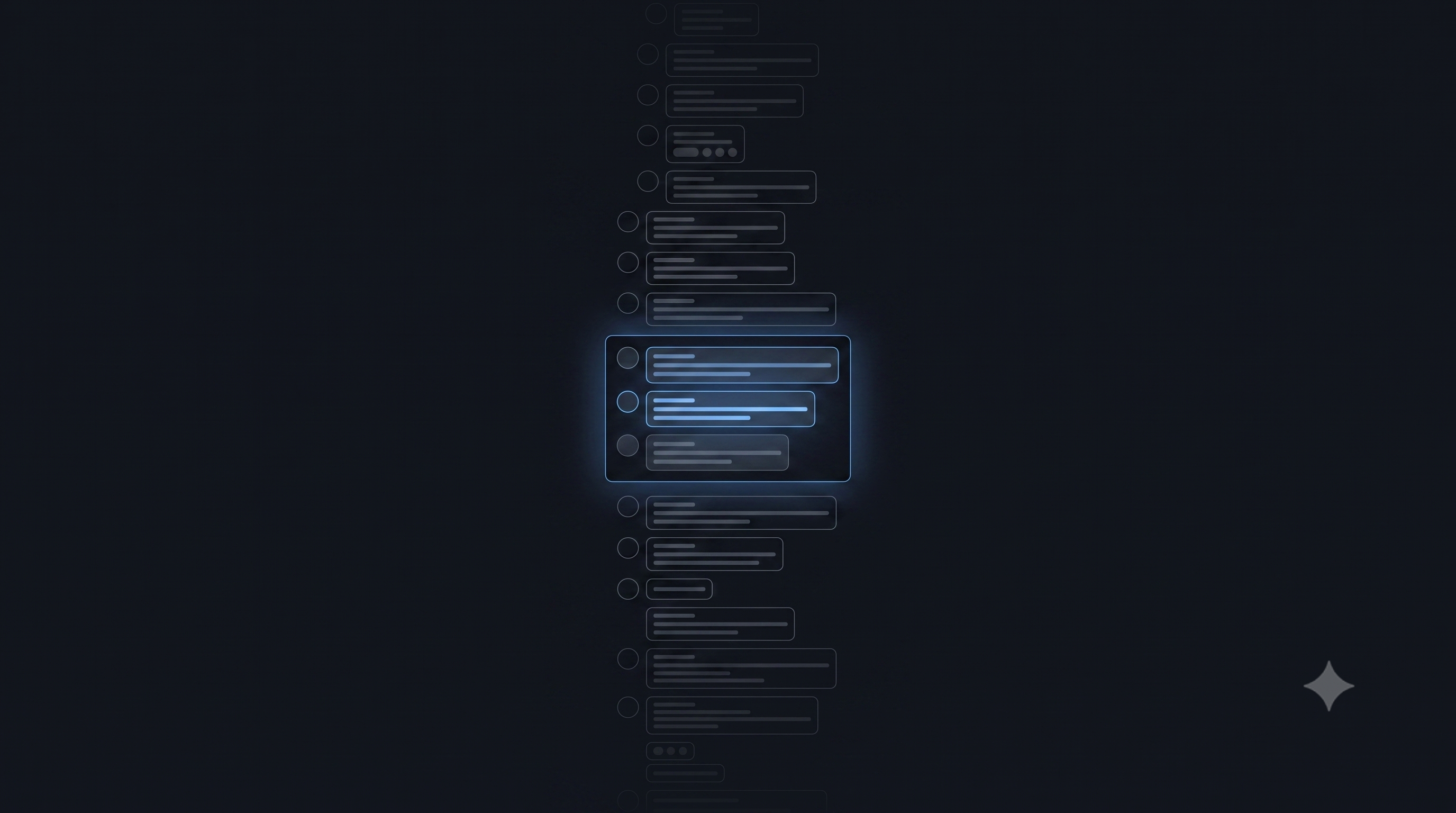
Try something. Open a very long ChatGPT conversation — one with hundreds of messages — and select some text near the top. Now scroll all the way down.
Your selection is gone.
The text is still there. The conversation hasn't changed. But the selection vanished the moment you scrolled away. If you scroll back, the text reappears — but your highlight doesn't.
This isn't a bug. It's the side effect of a design pattern that powers every major chat application on the web.
The Problem with 10,000 Messages
A naive chat UI would render every message as a DOM node. Ten thousand <div> elements, each with text, timestamps, avatars, event listeners, and layout calculations. The browser dutifully computes geometry for all of them — even the 9,950 that are nowhere near the viewport.
Scrolling slows. Memory climbs. On mobile, the tab crashes.
The fix seems obvious: don't render what nobody can see.
Virtualization: The Moving Window
Virtualization means only rendering the messages currently visible on screen, plus a small buffer. Everything else is simply not in the DOM.
The demo below shows the difference. On the left, a naive implementation renders all 200 messages. On the right, the virtualized version only renders what's near the viewport. Watch the DOM node counter as you scroll.
<style>
  * { box-sizing: border-box; margin: 0; padding: 0; }
  body { font-family: -apple-system, BlinkMacSystemFont, 'Segoe UI', sans-serif; background: #0d1117; color: #c9d1d9; padding: 16px; }

  .demo-container { display: flex; gap: 16px; max-width: 720px; margin: 0 auto; }
  .demo-panel { flex: 1; border: 1px solid #30363d; border-radius: 8px; overflow: hidden; background: #161b22; }
  .demo-header { padding: 10px 14px; background: #21262d; border-bottom: 1px solid #30363d; display: flex; justify-content: space-between; align-items: center; }
  .demo-header h3 { font-size: 13px; font-weight: 600; color: #e6edf3; }
  .demo-counter { font-size: 12px; padding: 3px 8px; border-radius: 12px; font-weight: 600; font-variant-numeric: tabular-nums; }
  .counter-bad { background: #da3633; color: #fff; }
  .counter-good { background: #238636; color: #fff; }

  .chat-scroll { height: 320px; overflow-y: auto; position: relative; }
  .chat-scroll::-webkit-scrollbar { width: 6px; }
  .chat-scroll::-webkit-scrollbar-track { background: #161b22; }
  .chat-scroll::-webkit-scrollbar-thumb { background: #30363d; border-radius: 3px; }

  .msg { padding: 8px 14px; border-bottom: 1px solid #21262d; display: flex; gap: 10px; align-items: flex-start; transition: opacity 0.15s; }
  .msg-avatar { width: 28px; height: 28px; border-radius: 50%; flex-shrink: 0; display: flex; align-items: center; justify-content: center; font-size: 11px; font-weight: 700; color: #fff; }
  .msg-user .msg-avatar { background: #1f6feb; }
  .msg-assistant .msg-avatar { background: #8b5cf6; }
  .msg-body { flex: 1; min-width: 0; }
  .msg-name { font-size: 11px; font-weight: 600; color: #8b949e; margin-bottom: 2px; }
  .msg-text { font-size: 13px; line-height: 1.45; color: #c9d1d9; }

  .v-spacer { width: 100%; }
  .v-window-indicator { position: absolute; right: 8px; top: 8px; font-size: 10px; color: #484f58; pointer-events: none; }

  .stats-bar { display: flex; gap: 16px; justify-content: center; margin-top: 12px; }
  .stat { text-align: center; }
  .stat-val { font-size: 22px; font-weight: 700; font-variant-numeric: tabular-nums; }
  .stat-val.red { color: #f85149; }
  .stat-val.green { color: #3fb950; }
  .stat-label { font-size: 11px; color: #484f58; margin-top: 2px; }

  .legend { text-align: center; margin-top: 14px; font-size: 12px; color: #484f58; }
</style>

<div class="demo-container">
  <!-- Naive Panel -->
  <div class="demo-panel">
    <div class="demo-header">
      <h3>Naive: Render All</h3>
      <span class="demo-counter counter-bad" id="naive-count">200 nodes</span>
    </div>
    <div class="chat-scroll" id="naive-scroll"></div>
  </div>

  <!-- Virtualized Panel -->
  <div class="demo-panel">
    <div class="demo-header">
      <h3>Virtualized</h3>
      <span class="demo-counter counter-good" id="virt-count">0 nodes</span>
    </div>
    <div class="chat-scroll" id="virt-scroll">
      <div id="virt-spacer" class="v-spacer"></div>
      <div id="virt-window"></div>
    </div>
  </div>
</div>

<div class="stats-bar">
  <div class="stat">
    <div class="stat-val red" id="stat-naive">200</div>
    <div class="stat-label">Naive DOM nodes</div>
  </div>
  <div class="stat">
    <div class="stat-val green" id="stat-virt">0</div>
    <div class="stat-label">Virtualized DOM nodes</div>
  </div>
</div>
<div class="legend">Scroll both panels and compare the node counts</div>

<script>
(function() {
  const TOTAL = 200;
  const ITEM_H = 52;
  const BUFFER = 3;

  const sampleMessages = [
    "Hey, did you see the latest deployment?",
    "The API response times look much better now.",
    "Can you review my PR when you get a chance?",
    "I think we should refactor the auth module.",
    "The CI pipeline passed on the first try!",
    "Let me check the logs for that error.",
    "Looks like the database migration ran successfully.",
    "We need to update the documentation for this.",
    "The staging environment is ready for testing.",
    "I found the root cause — it was a race condition.",
    "Should we use WebSockets or SSE for this?",
    "The memory usage dropped by 40% after the fix.",
    "Let's sync on the architecture tomorrow.",
    "The feature flag is enabled in production now.",
    "I'm seeing some flaky tests in the suite.",
  ];

  function makeMsg(i) {
    const isUser = i % 3 !== 0;
    const role = isUser ? 'user' : 'assistant';
    const name = isUser ? 'You' : 'Assistant';
    const avatar = isUser ? 'U' : 'A';
    const text = sampleMessages[i % sampleMessages.length];
    return `<div class="msg msg-${role}">
      <div class="msg-avatar">${avatar}</div>
      <div class="msg-body">
        <div class="msg-name">${name} · #${i + 1}</div>
        <div class="msg-text">${text}</div>
      </div>
    </div>`;
  }

  // Naive: render all
  const naiveEl = document.getElementById('naive-scroll');
  let naiveHTML = '';
  for (let i = 0; i < TOTAL; i++) naiveHTML += makeMsg(i);
  naiveEl.innerHTML = naiveHTML;
  document.getElementById('naive-count').textContent = TOTAL + ' nodes';
  document.getElementById('stat-naive').textContent = TOTAL;

  // Virtualized
  const virtScroll = document.getElementById('virt-scroll');
  const virtSpacer = document.getElementById('virt-spacer');
  const virtWindow = document.getElementById('virt-window');
  const virtCounter = document.getElementById('virt-count');
  const statVirt = document.getElementById('stat-virt');

  virtSpacer.style.height = (TOTAL * ITEM_H) + 'px';
  virtWindow.style.position = 'absolute';
  virtWindow.style.left = '0';
  virtWindow.style.right = '0';

  function renderVirt() {
    const scrollTop = virtScroll.scrollTop;
    const viewH = virtScroll.clientHeight;
    const startIdx = Math.max(0, Math.floor(scrollTop / ITEM_H) - BUFFER);
    const endIdx = Math.min(TOTAL, Math.ceil((scrollTop + viewH) / ITEM_H) + BUFFER);
    const count = endIdx - startIdx;

    let html = '';
    for (let i = startIdx; i < endIdx; i++) html += makeMsg(i);
    virtWindow.innerHTML = html;
    virtWindow.style.top = (startIdx * ITEM_H) + 'px';

    virtCounter.textContent = count + ' nodes';
    statVirt.textContent = count;
  }

  virtScroll.addEventListener('scroll', renderVirt);
  renderVirt();
})();
</script>
As you scroll the right panel, notice the counter stays around 15–20 nodes while the left panel holds all 200. In a real app with 10,000+ messages, the naive approach would create 10,000 DOM elements. The virtualized approach would still only render ~30.
The Sliding Window Cache
Virtualization solves rendering. But the data itself needs management too.
A 10,000-message conversation is too large to fetch in one API call. So the client uses cursor-based pagination — fetching chunks as you scroll, and evicting chunks that are far away to keep memory bounded.
The demo below visualizes this. Use the slider to "scroll" through the conversation. Watch which pages are in the browser cache and which get evicted.
<style>
  * { box-sizing: border-box; margin: 0; padding: 0; }
  body { font-family: -apple-system, BlinkMacSystemFont, 'Segoe UI', sans-serif; background: #0d1117; color: #c9d1d9; padding: 20px; }

  .sw-container { max-width: 640px; margin: 0 auto; }

  .sw-server { display: flex; gap: 4px; padding: 12px; background: #161b22; border: 1px solid #30363d; border-radius: 8px; margin-bottom: 12px; flex-wrap: wrap; justify-content: center; }
  .sw-page { width: 48px; height: 40px; border-radius: 6px; display: flex; align-items: center; justify-content: center; font-size: 11px; font-weight: 700; transition: all 0.3s ease; border: 2px solid transparent; }
  .sw-page.on-server { background: #21262d; color: #484f58; }
  .sw-page.cached { background: #1a3a2a; color: #3fb950; border-color: #238636; }
  .sw-page.viewport { background: #0d2d6b; color: #58a6ff; border-color: #1f6feb; box-shadow: 0 0 12px rgba(31,111,235,0.3); }
  .sw-page.evicting { background: #3d1518; color: #f85149; border-color: #da3633; animation: evict-pulse 0.4s ease-out; }

  @keyframes evict-pulse {
    0% { transform: scale(1); opacity: 1; }
    50% { transform: scale(0.85); opacity: 0.5; }
    100% { transform: scale(1); opacity: 1; }
  }

  .sw-labels { display: flex; justify-content: center; gap: 20px; margin: 16px 0 8px; font-size: 11px; }
  .sw-label { display: flex; align-items: center; gap: 6px; }
  .sw-dot { width: 10px; height: 10px; border-radius: 3px; }
  .sw-dot.srv { background: #21262d; border: 1px solid #30363d; }
  .sw-dot.cch { background: #1a3a2a; border: 1px solid #238636; }
  .sw-dot.vpt { background: #0d2d6b; border: 1px solid #1f6feb; }

  .sw-slider-wrap { padding: 0 12px; margin: 16px 0; }
  .sw-slider { width: 100%; appearance: none; height: 6px; background: #21262d; border-radius: 3px; outline: none; }
  .sw-slider::-webkit-slider-thumb { appearance: none; width: 20px; height: 20px; border-radius: 50%; background: #1f6feb; cursor: grab; border: 2px solid #58a6ff; }

  .sw-info { text-align: center; font-size: 12px; color: #8b949e; margin-top: 8px; }
  .sw-info strong { color: #e6edf3; }

  .sw-stats { display: flex; justify-content: center; gap: 24px; margin-top: 14px; }
  .sw-stat { text-align: center; }
  .sw-stat-val { font-size: 20px; font-weight: 700; font-variant-numeric: tabular-nums; }
  .sw-stat-label { font-size: 11px; color: #484f58; margin-top: 2px; }

  h4 { text-align: center; font-size: 12px; color: #484f58; text-transform: uppercase; letter-spacing: 1px; margin-bottom: 8px; }
</style>

<div class="sw-container">
  <h4>Server — All 20 Pages (2,000 messages)</h4>
  <div class="sw-server" id="sw-pages"></div>

  <div class="sw-labels">
    <div class="sw-label"><div class="sw-dot srv"></div> On server only</div>
    <div class="sw-label"><div class="sw-dot cch"></div> In browser cache</div>
    <div class="sw-label"><div class="sw-dot vpt"></div> In viewport (rendered)</div>
  </div>

  <div class="sw-slider-wrap">
    <input type="range" class="sw-slider" id="sw-slider" min="0" max="19" value="9" />
  </div>

  <div class="sw-info">
    Viewing page <strong id="sw-current">10</strong> of 20 — messages <strong id="sw-range">901–1000</strong>
  </div>

  <div class="sw-stats">
    <div class="sw-stat">
      <div class="sw-stat-val" style="color:#58a6ff" id="sw-cached-count">5</div>
      <div class="sw-stat-label">Pages cached</div>
    </div>
    <div class="sw-stat">
      <div class="sw-stat-val" style="color:#3fb950">1</div>
      <div class="sw-stat-label">Page rendered</div>
    </div>
    <div class="sw-stat">
      <div class="sw-stat-val" style="color:#484f58" id="sw-server-count">15</div>
      <div class="sw-stat-label">Server only</div>
    </div>
  </div>
</div>

<script>
(function() {
  const PAGES = 20;
  const CACHE_RADIUS = 2;
  const container = document.getElementById('sw-pages');
  const slider = document.getElementById('sw-slider');
  const currentEl = document.getElementById('sw-current');
  const rangeEl = document.getElementById('sw-range');
  const cachedCountEl = document.getElementById('sw-cached-count');
  const serverCountEl = document.getElementById('sw-server-count');

  // Build page elements
  const pageEls = [];
  for (let i = 0; i < PAGES; i++) {
    const el = document.createElement('div');
    el.className = 'sw-page on-server';
    el.textContent = 'P' + (i + 1);
    container.appendChild(el);
    pageEls.push(el);
  }

  function update(viewIdx) {
    const cacheStart = Math.max(0, viewIdx - CACHE_RADIUS);
    const cacheEnd = Math.min(PAGES - 1, viewIdx + CACHE_RADIUS);
    let cachedCount = 0;

    pageEls.forEach((el, i) => {
      el.classList.remove('on-server', 'cached', 'viewport', 'evicting');
      if (i === viewIdx) {
        el.classList.add('viewport');
        cachedCount++;
      } else if (i >= cacheStart && i <= cacheEnd) {
        el.classList.add('cached');
        cachedCount++;
      } else {
        el.classList.add('on-server');
      }
    });

    currentEl.textContent = viewIdx + 1;
    const start = viewIdx * 100 + 1;
    const end = start + 99;
    rangeEl.textContent = start + '–' + end;
    cachedCountEl.textContent = cachedCount;
    serverCountEl.textContent = PAGES - cachedCount;
  }

  slider.addEventListener('input', () => update(parseInt(slider.value)));
  update(parseInt(slider.value));
})();
</script>
This is a sliding window cache — the same idea behind OS page caches and database buffer pools. Keep what's hot, discard what's cold, fetch on demand.
What Survives the Window (And What Doesn't)
Here's the interesting part.
When you "star" a message in Slack, or react with 👍 in Discord, the application stores that in its own state — Redux, Zustand, a context store. This state is independent of the DOM. When message 123 scrolls out of view and the virtualizer unmounts it, the bookmark doesn't disappear. When it scrolls back in, the component reads state and renders the star again.
Native browser text selection is different.
When you click-drag to highlight text, the browser stores the selection as references to actual DOM nodes:
// What the browser's Selection API stores internally
{
  anchorNode: <span> inside msg_100,   // a live DOM element
  anchorOffset: 14,
  focusNode: <span> inside msg_100,
  focusOffset: 52
}
These are pointers to live DOM elements. The moment the virtualizer unmounts message 100, those DOM nodes are destroyed. The browser's selection is pointing at ghosts.
Try it yourself. In the demo below, select some text in one of the top messages, then scroll down. Scroll back up. Your selection is gone — even though the text is back.
<style>
  * { box-sizing: border-box; margin: 0; padding: 0; }
  body { font-family: -apple-system, BlinkMacSystemFont, 'Segoe UI', sans-serif; background: #0d1117; color: #c9d1d9; padding: 16px; }

  .sel-container { max-width: 480px; margin: 0 auto; }
  .sel-header { display: flex; justify-content: space-between; align-items: center; margin-bottom: 10px; }
  .sel-header h4 { font-size: 13px; color: #e6edf3; }
  .sel-badge { font-size: 11px; padding: 3px 10px; border-radius: 12px; font-weight: 600; transition: all 0.3s; }
  .sel-badge.has-sel { background: #238636; color: #fff; }
  .sel-badge.no-sel { background: #21262d; color: #484f58; }

  .sel-chat { height: 340px; overflow-y: auto; border: 1px solid #30363d; border-radius: 8px; background: #161b22; position: relative; }
  .sel-chat::-webkit-scrollbar { width: 6px; }
  .sel-chat::-webkit-scrollbar-track { background: #161b22; }
  .sel-chat::-webkit-scrollbar-thumb { background: #30363d; border-radius: 3px; }

  .sel-spacer { width: 100%; }
  .sel-window { position: absolute; left: 0; right: 0; }

  .sel-msg { padding: 10px 14px; border-bottom: 1px solid #21262d; }
  .sel-msg-head { font-size: 11px; color: #8b949e; margin-bottom: 3px; display: flex; gap: 6px; align-items: center; }
  .sel-msg-role { font-weight: 700; }
  .sel-msg-role.user { color: #58a6ff; }
  .sel-msg-role.assistant { color: #d2a8ff; }
  .sel-msg-num { color: #484f58; }
  .sel-msg-text { font-size: 13px; line-height: 1.5; color: #c9d1d9; user-select: text; -webkit-user-select: text; }
  .sel-msg-text::selection { background: #264f78; color: #fff; }

  .sel-state { margin-top: 12px; padding: 12px; background: #161b22; border: 1px solid #30363d; border-radius: 8px; font-size: 12px; }
  .sel-state-title { font-size: 11px; color: #484f58; text-transform: uppercase; letter-spacing: 0.5px; margin-bottom: 6px; }
  .sel-state pre { color: #8b949e; white-space: pre-wrap; font-family: 'SF Mono', 'Fira Code', monospace; font-size: 11px; line-height: 1.5; }
  .sel-state .highlight { color: #f0883e; }
  .sel-state .lost { color: #f85149; }
  .sel-state .ok { color: #3fb950; }

  .sel-hint { text-align: center; font-size: 12px; color: #484f58; margin-top: 10px; }
</style>

<div class="sel-container">
  <div class="sel-header">
    <h4>Virtualized Chat — 500 messages</h4>
    <span class="sel-badge no-sel" id="sel-badge">No selection</span>
  </div>

  <div class="sel-chat" id="sel-chat">
    <div class="sel-spacer" id="sel-spacer"></div>
    <div class="sel-window" id="sel-window"></div>
  </div>

  <div class="sel-state">
    <div class="sel-state-title">Selection API state</div>
    <pre id="sel-state-pre">No active selection</pre>
  </div>

  <div class="sel-hint">^ Select text in a message, then scroll away and back</div>
</div>

<script>
(function() {
  const TOTAL = 500;
  const ITEM_H = 64;
  const BUFFER = 2;

  const chat = document.getElementById('sel-chat');
  const spacer = document.getElementById('sel-spacer');
  const win = document.getElementById('sel-window');
  const badge = document.getElementById('sel-badge');
  const statePre = document.getElementById('sel-state-pre');

  spacer.style.height = (TOTAL * ITEM_H) + 'px';

  const texts = [
    "The deployment went smoothly last night. All health checks passed within the first two minutes.",
    "I've been looking into the memory leak in the worker service. Seems related to unclosed database connections.",
    "Can we schedule a design review for the new onboarding flow? I have some concerns about the step count.",
    "The rate limiter is working well in staging. We're seeing clean 429 responses under load.",
    "I pushed a fix for the timezone bug. Turns out we were converting to UTC twice in the pipeline.",
    "The search index rebuild completed. Query latency dropped from 800ms to 120ms.",
    "We should probably add circuit breakers to the payment service calls. Third-party APIs have been flaky.",
    "Just merged the PR for lazy loading the dashboard widgets. Initial load time improved by 3 seconds.",
    "The A/B test results are in — the simplified checkout flow increased conversion by 12%.",
    "Found a race condition in the notification queue. Two workers were processing the same message.",
    "The new caching layer reduced database load by 60%. CPU usage on the primary is much healthier now.",
    "I think we over-engineered the permissions system. Let's simplify before it becomes unmaintainable.",
  ];

  function makeMsg(i) {
    const isUser = i % 3 !== 0;
    const role = isUser ? 'user' : 'assistant';
    const name = isUser ? 'You' : 'Assistant';
    const text = texts[i % texts.length];
    return `<div class="sel-msg">
      <div class="sel-msg-head">
        <span class="sel-msg-role ${role}">${name}</span>
        <span class="sel-msg-num">#${i + 1}</span>
      </div>
      <div class="sel-msg-text">${text}</div>
    </div>`;
  }

  let lastSelText = '';
  let selWasActive = false;

  function render() {
    const scrollTop = chat.scrollTop;
    const viewH = chat.clientHeight;
    const startIdx = Math.max(0, Math.floor(scrollTop / ITEM_H) - BUFFER);
    const endIdx = Math.min(TOTAL, Math.ceil((scrollTop + viewH) / ITEM_H) + BUFFER);

    let html = '';
    for (let i = startIdx; i < endIdx; i++) html += makeMsg(i);
    win.innerHTML = html;
    win.style.top = (startIdx * ITEM_H) + 'px';
  }

  function checkSelection() {
    const sel = window.getSelection();
    const hasSelection = sel && sel.toString().trim().length > 0;

    if (hasSelection) {
      lastSelText = sel.toString().trim();
      selWasActive = true;
      badge.textContent = 'Text selected';
      badge.className = 'sel-badge has-sel';

      const anchor = sel.anchorNode;
      const focus = sel.focusNode;
      statePre.innerHTML =
        '<span class="ok">[ok] Selection active</span>\n\n' +
        '<span class="highlight">anchorNode:</span>  ' + (anchor ? '<' + (anchor.parentElement?.className || 'text') + '>' : 'null') + '\n' +
        '<span class="highlight">anchorOffset:</span> ' + sel.anchorOffset + '\n' +
        '<span class="highlight">focusNode:</span>   ' + (focus ? '<' + (focus.parentElement?.className || 'text') + '>' : 'null') + '\n' +
        '<span class="highlight">focusOffset:</span>  ' + sel.focusOffset + '\n\n' +
        '"' + lastSelText.substring(0, 60) + (lastSelText.length > 60 ? '...' : '') + '"';
    } else if (selWasActive) {
      badge.textContent = 'Selection lost';
      badge.className = 'sel-badge no-sel';
      statePre.innerHTML =
        '<span class="lost">[x] Selection lost -- DOM nodes were destroyed</span>\n\n' +
        'Previously selected:\n"' + lastSelText.substring(0, 60) + (lastSelText.length > 60 ? '...' : '') + '"\n\n' +
        '<span class="lost">anchorNode:  null (element unmounted)</span>\n' +
        '<span class="lost">focusNode:   null (element unmounted)</span>';
    }
  }

  chat.addEventListener('scroll', () => {
    render();
    setTimeout(checkSelection, 50);
  });

  document.addEventListener('selectionchange', checkSelection);
  render();
})();
</script>
That's the fundamental asymmetry:
| Action |
Stored in |
Survives? |
| Bookmark message |
Application state |
Yes |
| Add reaction |
Application state |
Yes |
| Pin message |
Application state |
Yes |
| Expand code block |
Application state |
Yes |
| Mouse drag selection |
Browser Selection API |
No |
| Cursor position |
Browser Selection API |
No |
The application can preserve meaning (bookmarks, reactions, pins). It cannot automatically preserve browser-native interactions — those are bound to physical DOM nodes.
Could an app preserve drag selection?
Technically yes. The app could intercept window.getSelection(), convert it to a logical reference ({ messageId, startOffset, endOffset }), and restore it via Selection.addRange() when the element remounts. But this is fragile — code blocks, markdown rendering, images, and collapsed sections all shift offsets. Most apps don't attempt it.
This is the same reason Google Docs and Notion build their own document model and selection system instead of relying on the browser's.
The Full Architecture
Zoom out and the pipeline looks like this:
  Conversation Database
          │
   Cursor Pagination          "Give me messages before X"
          │
    Client Page Cache         ← sliding window of data
          │
     Virtualizer              ← sliding window of DOM
          │
    React Components          ← what you see
          │
  ┌───────┴────────┐
  │  Application   │         ← bookmarks, reactions, pins
  │  State Store   │            (survives DOM destruction)
  └────────────────┘
Two sliding windows stacked on top of each other. One controls which data is in memory. The other controls which data is in the DOM. And a separate state layer sits alongside — holding everything the user has done, independent of both.
The DOM is the most disposable layer in the stack.
This Powers More Than Chat
The same architecture appears in:
- Slack / Discord / WhatsApp Web — message virtualization with infinite scroll
- Twitter/X / Reddit — feed virtualization with cursor pagination
- VS Code — file content virtualized for large files
- Google Sheets — only visible cells are rendered
- Chrome DevTools — network/console logs use windowed lists
Any application displaying a potentially unbounded list of items eventually converges on this pattern: paginate the data, virtualize the rendering, separate the state.
The Takeaway
A modern chat interface is not a page full of messages. It's a narrow viewport sliding over a data stream, rendering only the slice you're looking at, and maintaining a separate layer of state for everything you've done.
The next time your text selection vanishes mid-scroll in ChatGPT, you'll know why. The DOM node you selected doesn't exist anymore. It was never meant to be permanent.
In a virtualized world, the interface is temporary. The data and your intent are what persist.